
Tired of Endless Ads? - No More!
We've all been there: browsing a website, watching a video, or playing a game, only to be bombarded with intrusive advertisements. These ads not only disrupt our online experience but also consume bandwidth and can even pose security risks. But what if you could enjoy a cleaner, faster, and safer internet without installing any additional apps or browser extensions? It's more achievable than you might think, thanks to the power of DNS (Domain Name System).
Understanding DNS and Ad Blocking
Before diving into the solution, let's briefly understand DNS. Think of DNS as the internet's phonebook. When you type a website address (like "example.com"), your device queries a DNS server to translate that human-readable address into a numerical IP address (like "93.184.216.34"), which computers use to communicate.
Ad-blocking DNS servers work by filtering out requests to known ad-serving domains. When your device tries to load an ad, the DNS server recognizes the ad domain and blocks the connection, preventing the ad from appearing.
Introducing AdGuard DNS
One of the most reliable and user-friendly ad-blocking DNS services is AdGuard DNS. It offers several advantages:
- No Software Required: Unlike traditional ad blockers, AdGuard DNS works at the network level, meaning you don't need to install any apps or browser extensions.
- System-Wide Protection: It blocks ads across your entire device, including apps and browsers.
- Enhanced Privacy: AdGuard DNS can also block trackers, helping to protect your online privacy.
- Ease of Use: Setting up AdGuard DNS is simple and straightforward.
- Free and Public: Adguard offers free public DNS servers.
How to Set Up AdGuard DNS
The process varies slightly depending on your operating system or device. Here's a general guide:
For Computers (Windows, macOS, Linux):
- Find Network Settings: Open your network settings (e.g., "Network & Internet" in Windows, "Network" in macOS).
- Locate DNS Settings: Find the settings for your active network connection and look for "DNS server" or similar.
- Enter AdGuard DNS Addresses: Replace your existing DNS server addresses with the following AdGuard DNS addresses:
- For ad blocking:
176.103.130.130
176.103.130.131
- For ad blocking and protection from malware and phishing:
94.140.14.14
94.140.15.15
- For ad blocking:
- Save Changes: Save your changes, and you're done!
For Mobile Devices (Android, iOS):
- Android:
- Go to "Settings" > "Network & internet" > "Private DNS".
- Select "Private DNS provider hostname".
- Enter dns.adguard.com and tap "Save".
Here are some ScreenShots to help you.
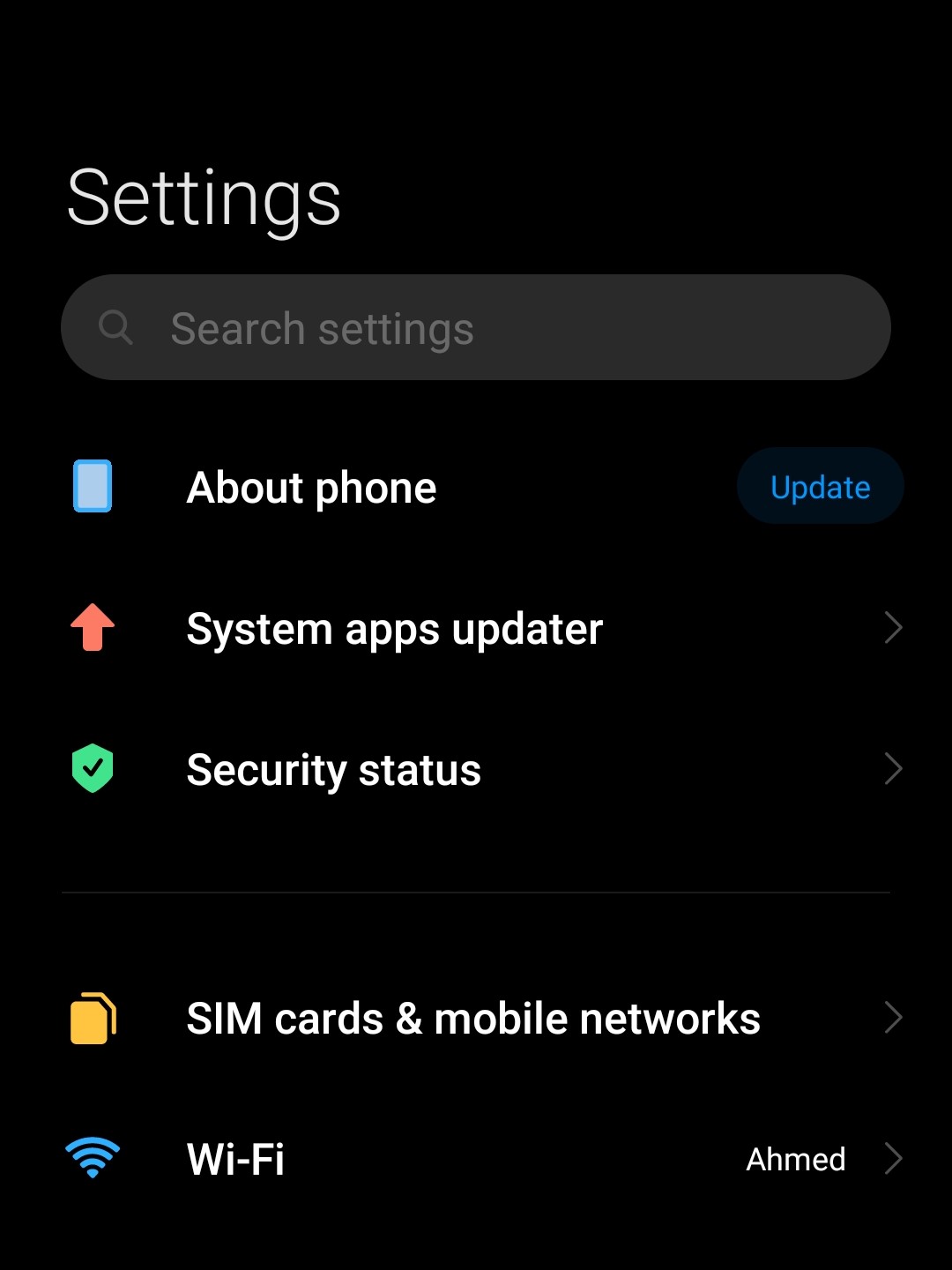
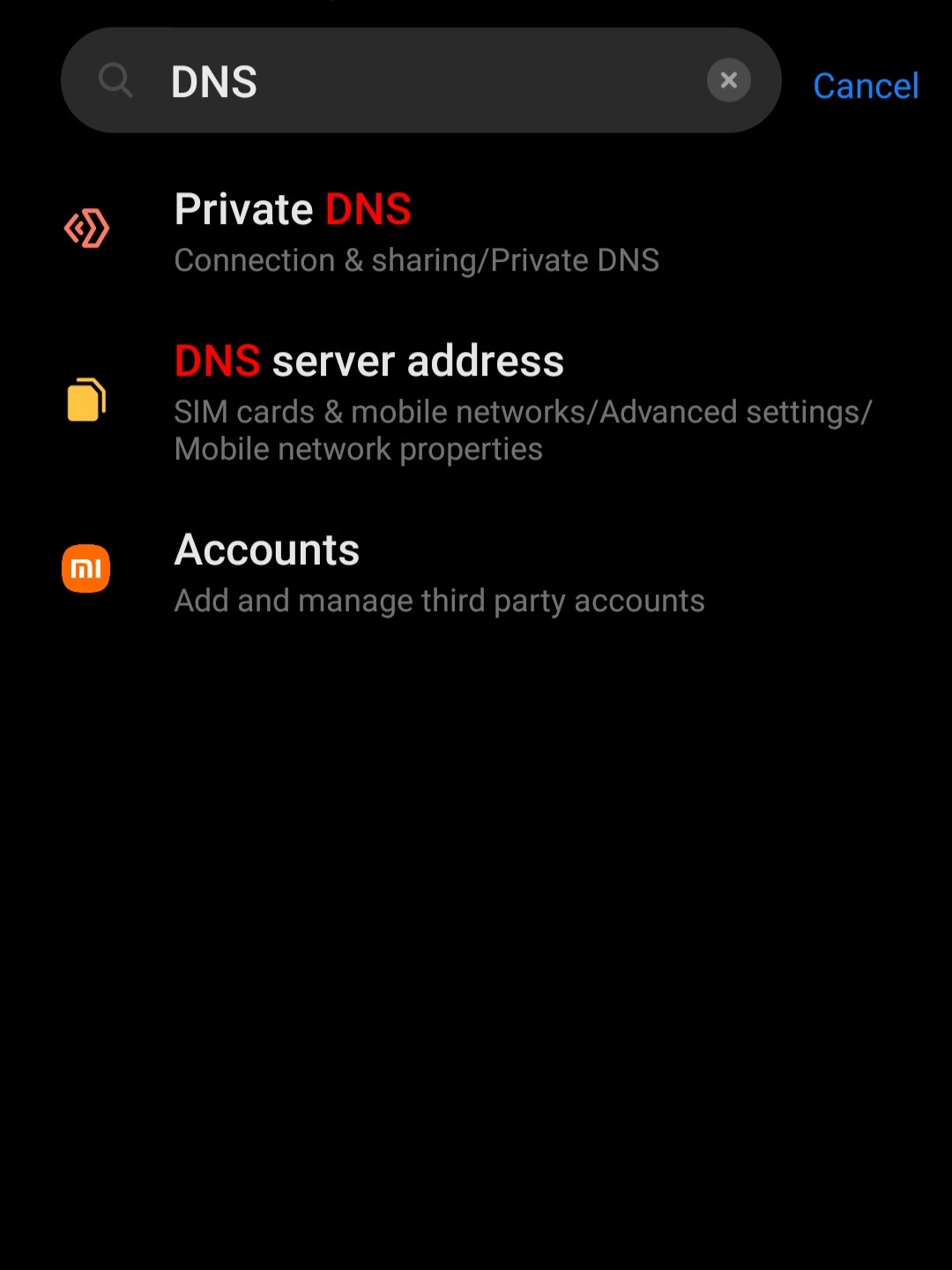
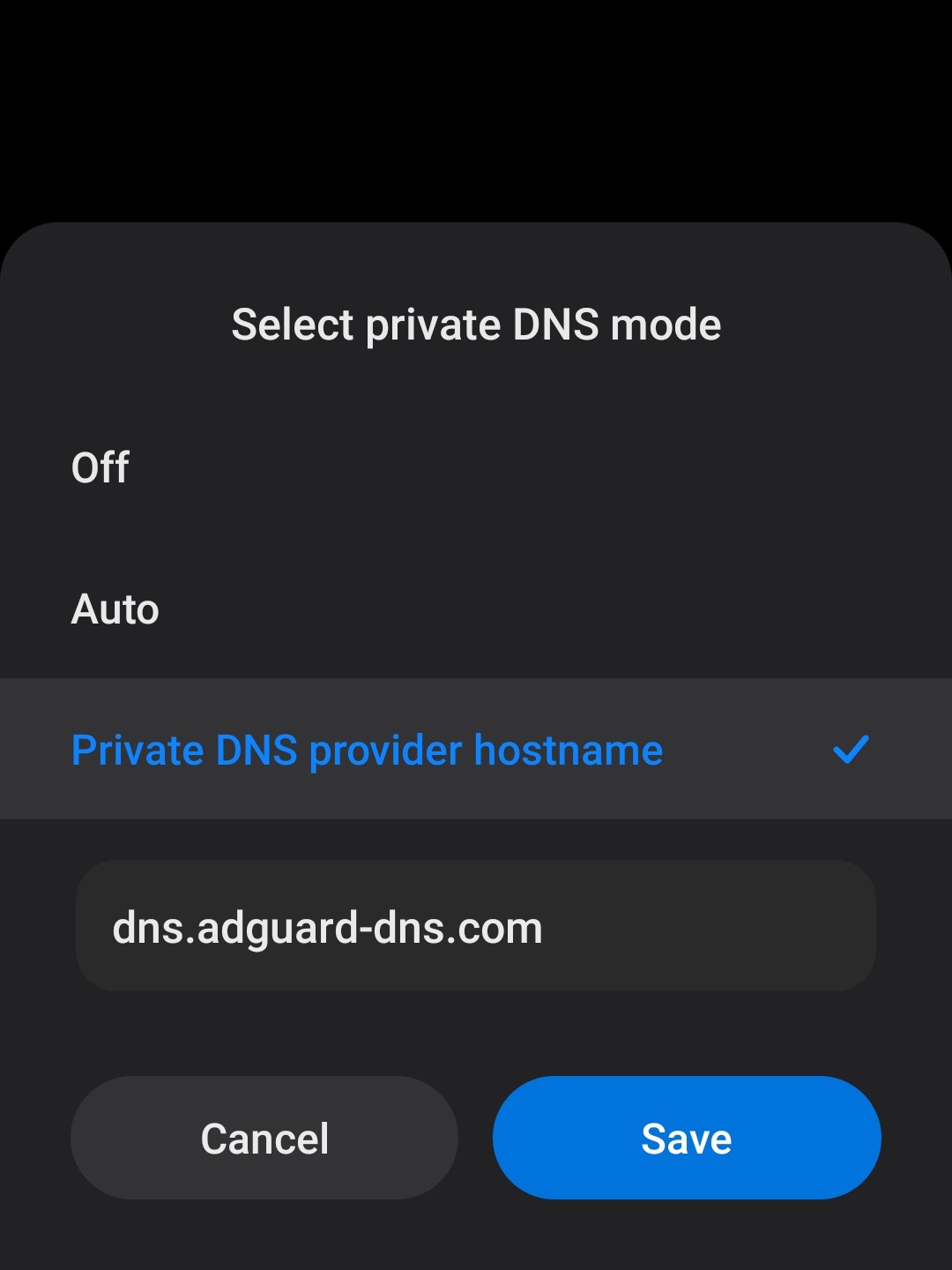
Device: [Redmi note 10 pro max | MIUI 12.5]
- iOS:
- Go to "Settings" > "Wi-Fi".
- Tap the "i" icon next to your Wi-Fi network.
- Tap "Configure DNS" > "Manual".
- Remove any existing DNS servers and add the AdGuard DNS addresses mentioned above.
- Tap "Save".
Benefits of Ad-Free Internet
- Faster Browsing: Pages load faster without ads.
- Reduced Data Usage: Save bandwidth by not downloading ads.
- Improved Security: Block potentially harmful ads and trackers.
- Cleaner Experience: Enjoy a less cluttered and more focused online experience.
- Enhanced Battery life: Reduced data usage and processing power needed to load ads.
Conclusion
With AdGuard DNS, you can significantly improve your online experience without the need for additional software. It's a simple, effective, and privacy-friendly way to enjoy a cleaner, faster, and safer internet. Give it a try and experience the difference!